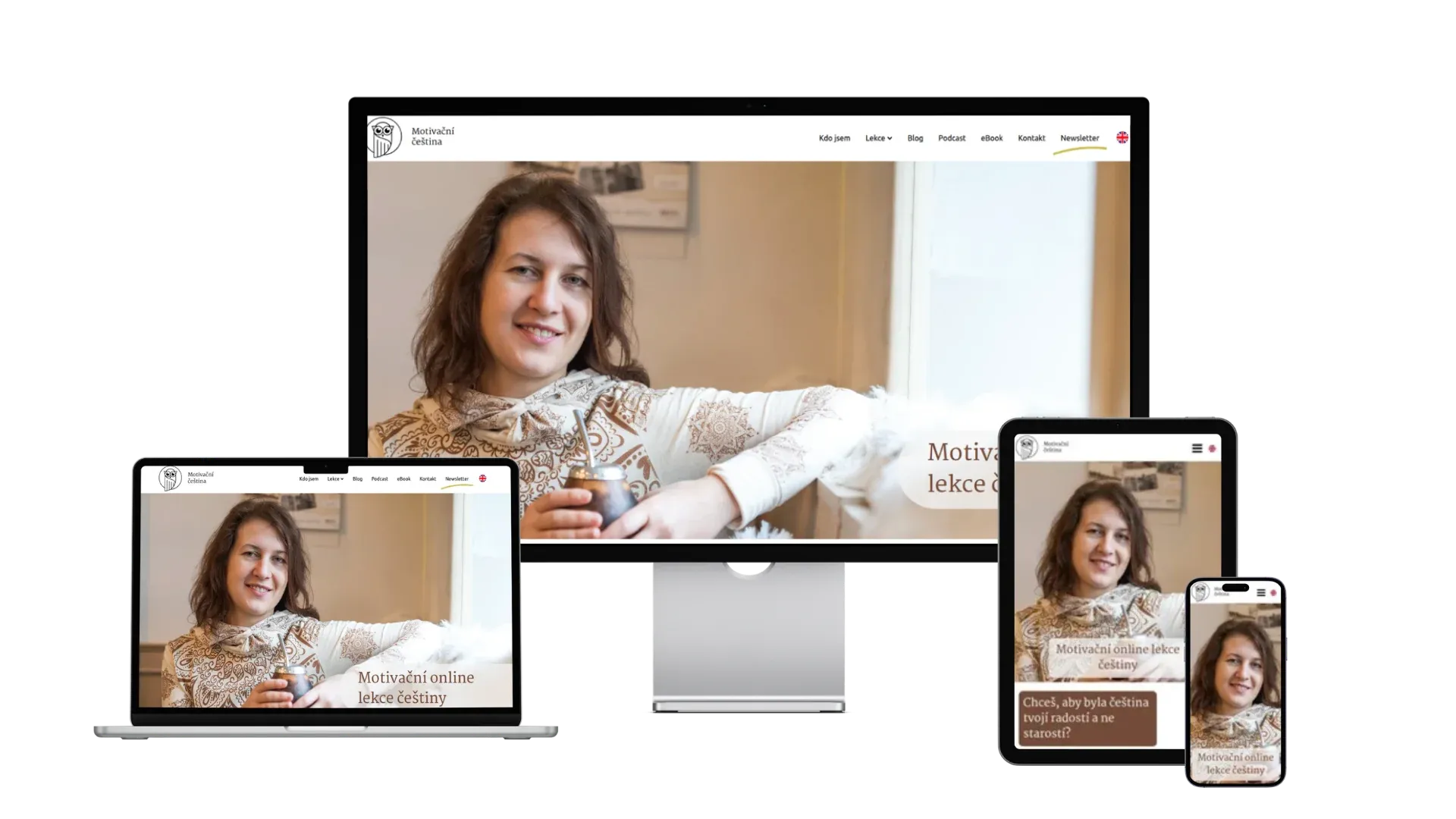
Client's expectations
The client wanted to share information about her lessons and enable online lesson bookings, with as much automation as possible.
She had a clear brand and knew what website design she wanted based on it. She also had the content ready - copy and brand photos from Dana Štěpánová.
Pages on the site
I built the site to naturally guide clients from the first bit of information all the way to booking a lesson. The information is structured "pyramid-style" - from the most important down to the details. At every level, the visitor can decide whether they want to know more.
I reinforced this approach visually with cards and sections using subtly tinted backgrounds.
A multilingual site as the foundation for an international audience
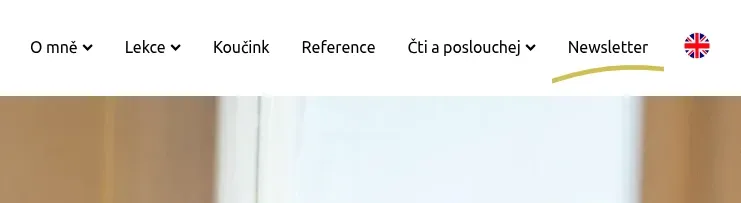
If you teach Czech to foreigners, your website needs to be available in at least English. To handle multilingualism, I chose the WordPress plugin Polylang, which offers a great balance between functionality and ease of content management. I solved language switching elegantly with a flag in the main menu (besides flags, it also supports custom images or text).
You always see just one flag - for the language you can switch to. So on the Czech version you see the British flag, and after switching to English you see the Czech flag again. No unnecessary extra elements.
What I enjoy most about Polylang? It gives me freedom in how I work with content. I can have:
- Identical content in every language version.
- Each language version completely different.
The second approach is useful when you want to explain something differently to visitors of the Czech version than to visitors of the English version.
It also comes in handy with two languages that differ a lot in word length - typically German, where the original design usually needs a little "tweaking" to still look good.
The downside is having to maintain two versions of the site.
Polylang is free as long as your site doesn't have WooCommerce (the e-shop plugin) and you don't need advanced URL display options or automatic translations (DeepL).

Simple bookings through a proven service
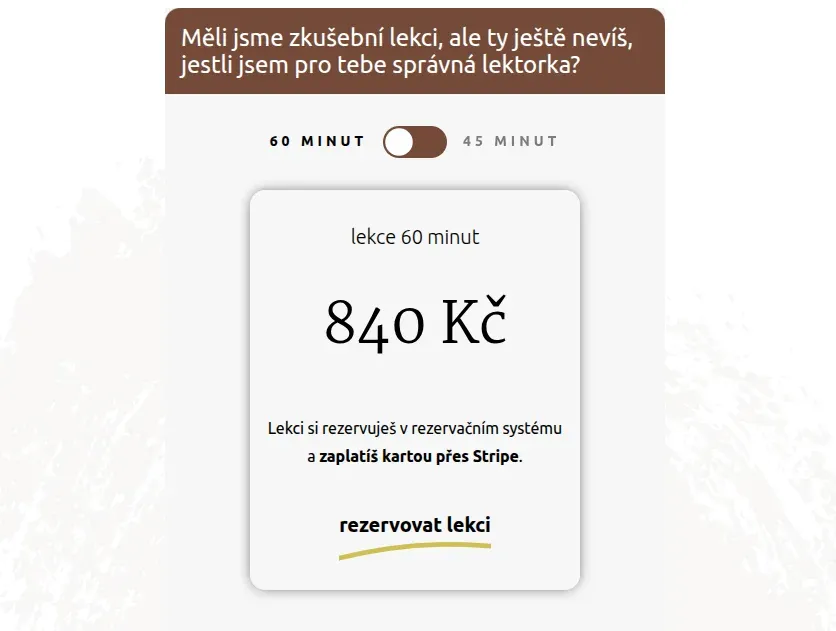
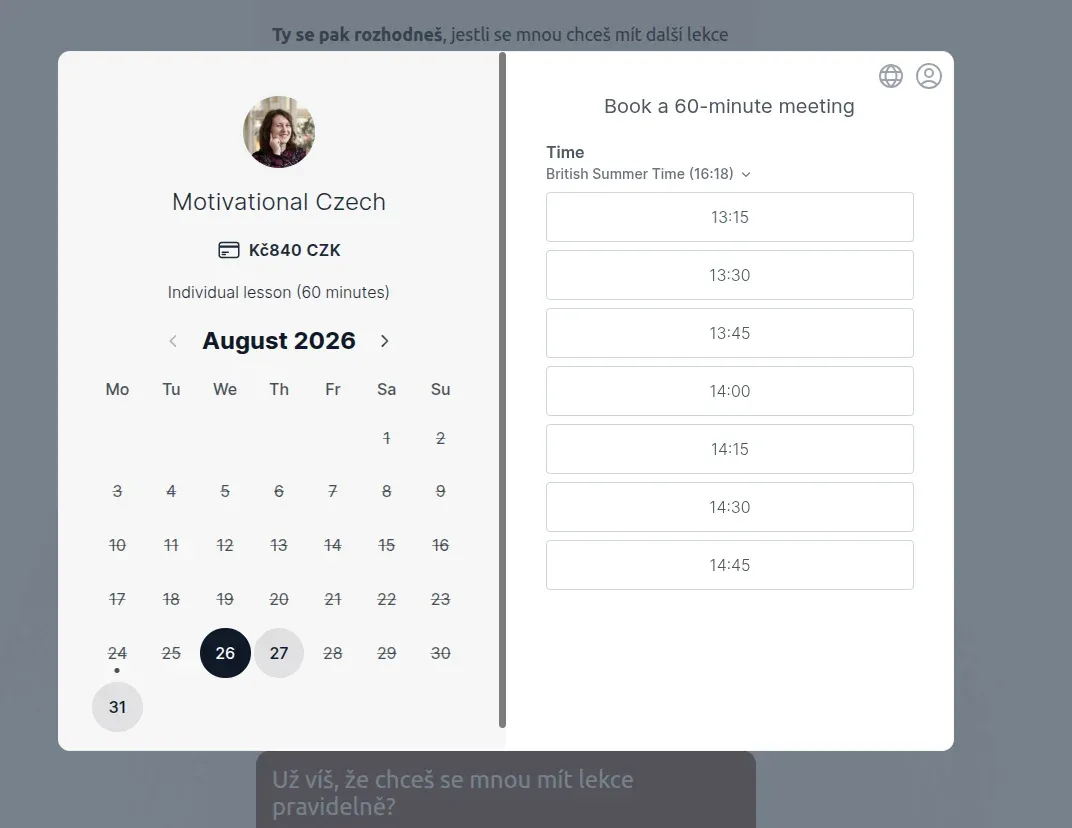
For lesson bookings I chose the external service Koalendar. Compared to the competition, it has a clear pricing policy - free at the basic level, or around 2000 CZK/year for the full package (Stripe payments, better branding, ...).
Koalendar's pricing is minimalist but covers everything you need. Edit August 2026: For my most recent sites I now use a WordPress plugin (see this case study) - the advantage is owning the data, better user privacy, and a one-time payment.
Booking a lesson is simple: the client picks a date and time, fills in basic information (name, email), agrees to the terms, and confirms the booking with a card payment via the Stripe payment gateway. Stripe charges a fixed 6.5 CZK + 1.5%. But you don't have to haggle over price with anyone or chase payments... it's absolutely worth it for those few crowns. No virtual assistant works 24/7 for that. 😉
According to her accountant, payment gateway fees don't need to be reported in tax filings for an "identified person" (unlike, say, FB ads or MailerLite payments).
In Koalendar you can also set what happens after a successful booking - you can:
- Send the client an email.
- Redirect them to a thank-you page, where you can show additional information.
- Send a webhook (an internet address where, instead of requesting a webpage to send to the browser, some action gets triggered). For Happyowl, I set up the webhook to be caught by n8n, processed, and forwarded to the email marketing tool MailerLite, where it triggers further automations.
Service packages
If a client wants to take advantage of a better-value package of multiple lessons, they arrange payment by bank transfer directly with the tutor. The client then receives a special code, which they enter into the Koalendar form. With it, they can book lessons without any further payment.
The system is connected to the tutor's Google Calendar, so she always sees genuinely available slots.
Booked lessons can be rescheduled up to 24 hours before the lesson starts. Koalendar sends automatic reminders - 24 hours and 1 hour before the lesson. The confirmation email to the client also includes a Zoom link and a link to reschedule the lesson.
A clear path to booking a lesson
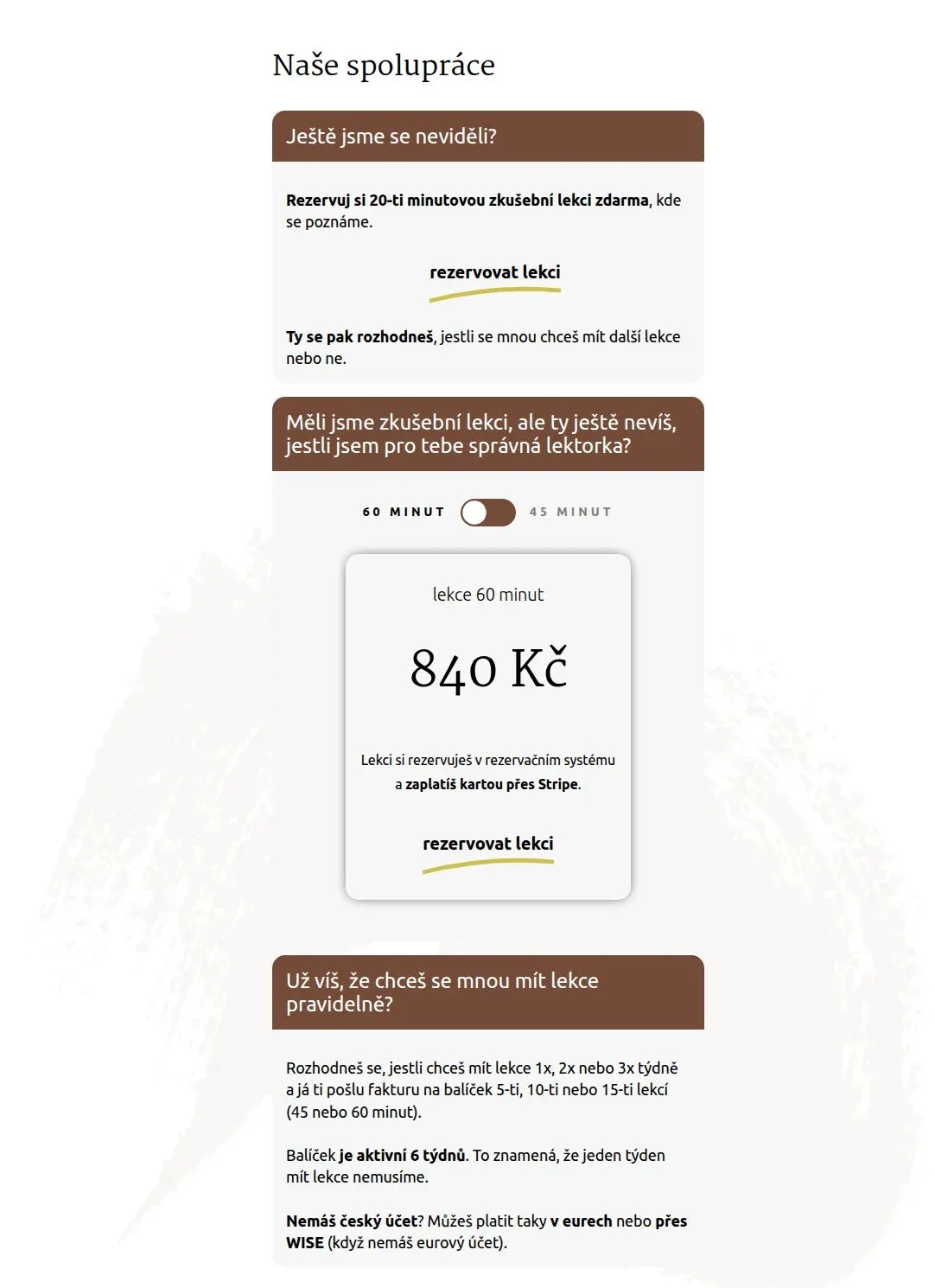
For the individual lessons offering, the biggest challenge was the structure of the booking process and the client's journey. In her notes for the site, the client hadn't distinguished between the two. Once I split the information apart, everything became much clearer.
For new clients, the path is clear - they start with a free 20-minute trial lesson. After that comes the option to try a single paid lesson, to make sure this teaching style is a good fit for them. Only then does the offer of better-value packages appear.
For those who already know they want a more intensive collaboration, I created a clear package comparison. Each package has its own card with a clearly stated number of lessons, their frequency, and price. The icons used help visitors quickly grasp the differences between the options.
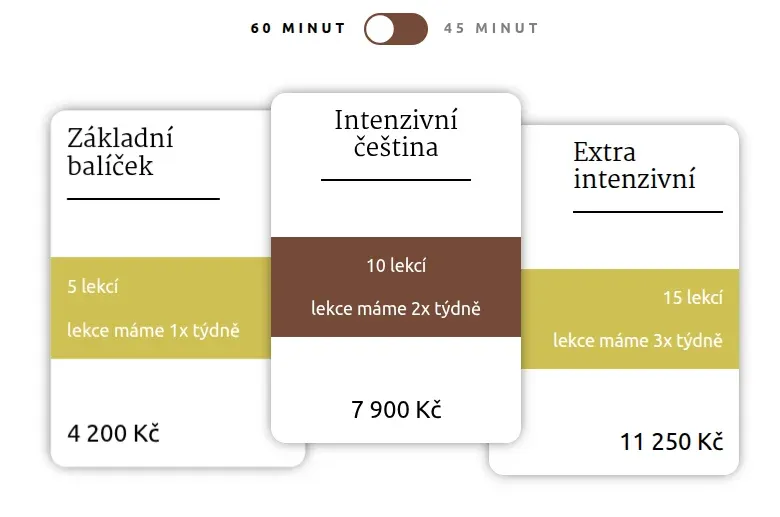
Meanwhile, the tutor prefers the 10-lesson packages, which are "nudged" toward the client through the visual design.
The "Čeština s Veronikou" podcast
The site also runs the podcast Čeština s Veronikou (Czech with Veronika) directly. Podcasts uploaded to the site (through the admin panel, very similar to writing articles) can be played directly from the website, while also being distributed to all major podcast platforms.
A fast, secure site built on solid foundations
The site runs on reliable (rather premium) hosting from exon.io.
Security - several layers of protection: Wordfence for active security, security headers, and disabled potential vulnerabilities such as xmlrpc.
Data is protected by automatic weekly backups to Google Drive.
Oxygen Builder lets me create clean code without unnecessary bloat. The result is a fast site - for example, the key page individual lessons has just 30 kB of CSS and, without analytics tools, only 50 kB of JavaScript. About the size of a small image.
As a result, there's no need to reach for solutions like CSS or JavaScript minification.
The site runs Matomo analytics (no Google Analytics behemoth) directly on the site itself. Data isn't sent off to Google's servers somewhere. You can read more about various website analytics tools in my article Measuring your website traffic? I tested four tools at once - here are the results.
For spam protection I chose the unobtrusive but effective solution WP Armour. Unlike reCAPTCHA, it doesn't bog the site down with a ton of JavaScript.
The site is of course fully responsive and includes a consent banner for GDPR compliance.
A thoughtful email strategy and digital marketing
The site includes integration with the email marketing platform MailerLite:
- The main lead magnet for the list is a valuable e-book for Czech-language students, which visitors get in exchange for their email address. It contains curated tips on podcasts, tailored books, videos, and more. This helps build a database of potential clients.
- A regular monthly newsletter then keeps in touch with people interested in the lessons and supports a long-term relationship. There's a separate signup form on the site for it.
A website is more than just a technical solution
A website is more than just a technical solution - it's a comprehensive digital marketing tool. From designing the email strategy all the way to fully setting it up.
After consulting with me, the client decided to invest in email marketing too, and had me set it up for her. Thanks to that, she could focus fully on her potential without worrying about the technical side of things.
The whole project shows how important it is to approach building a website holistically. It's not just about a nice design or a technical solution - a website has to work for the client and communicate information clearly.
Looking for a website that will work for you on its own?
I'd be happy to help you build a solution tailored to your needs. I focus on WordPress websites with an emphasis on:
- Structure
- Building on the CMS
- Speed
- Automating routine tasks
- Integration with marketing tools
- Security and reliability
Get in touch and let's talk about how a website could help you too.
Reference